Murder Mystery 2 gives three roles the same map and very different information. Start with the official game, then use this guide to make sense of labels such as Auto Farm, Role ESP and No Key. The catalog separates what a listing actually says from details nobody has confirmed. The guides explain what a listing claims and how to distinguish that claim from what the official game shows.
ArtChive Role ESP is made for Murder Mystery 2 (MM2) and shows player roles through ESP. This listing has no dedicated screenshot; it uses the official Murder Mystery 2 cover instead of another script’s interface image. Checked: November 6, 2026.
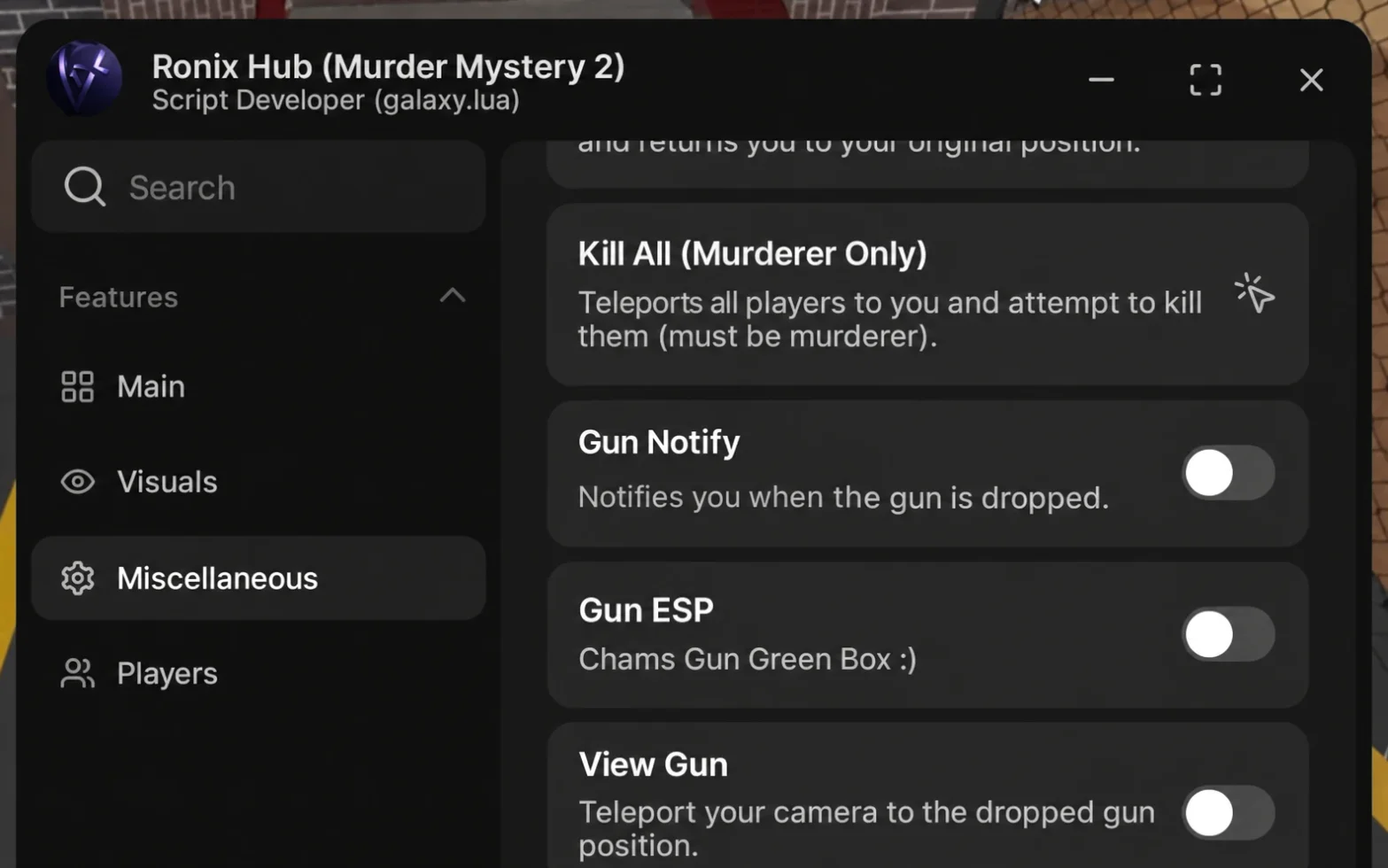
Ronix Hub adds player and weapon ESP plus helpful Murderer and Sheriff tools for Murder Mystery 2. It also includes Steal an Egg automation for egg hatching, pet management, selling, and fusing; the existing hub code and previous bindings remain intact. Checked November 6, 2026; the Steal an Egg section was checked October 27, 2026.
Steal an Egg: Place and hatch ready-to-use eggs
Steal an Egg: Automatically equip your strongest pets
Steal an Egg: Sell pets and automate the fusion process
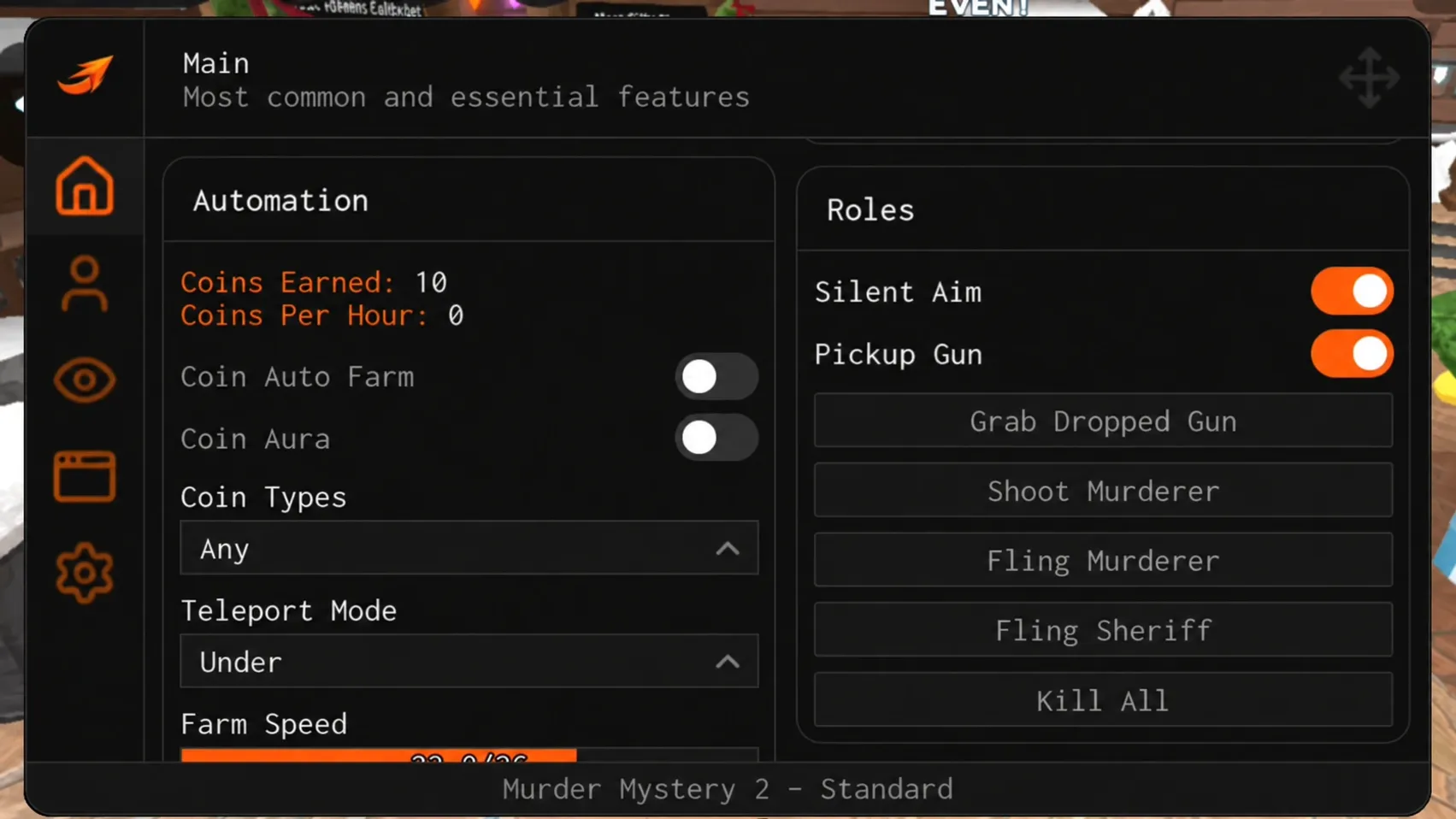
LuminWare is a Murder Mystery 2 (MM2) script focused on farming coins and gaining an advantage during matches. It includes coin farming, Coin Aura, aiming tools, Grab Gun, and Kill All.
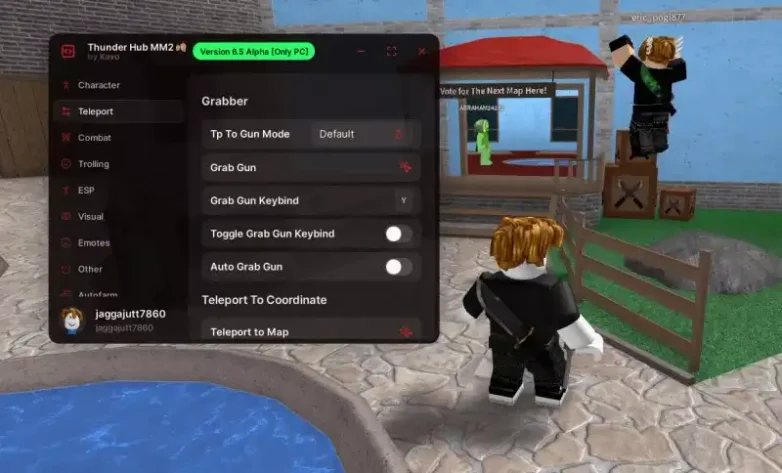
ThunderX Hub - MM2 Script for Roblox Without a Key
No key
Download ThunderX Hub for Murder Mystery 2 on Roblox and use its coin auto farm, admin panel, aim features, and more. It works with Delta and Xeno injectors and requires no key.
Beecon Hub — Lightweight MM2 Cheat for Low-End Phones
No key
Beecon Hub is a compact Murder Mystery 2 hub that highlights the murderer and sheriff while collecting coins automatically. Its lightweight menu is designed to run smoothly on weaker phones.
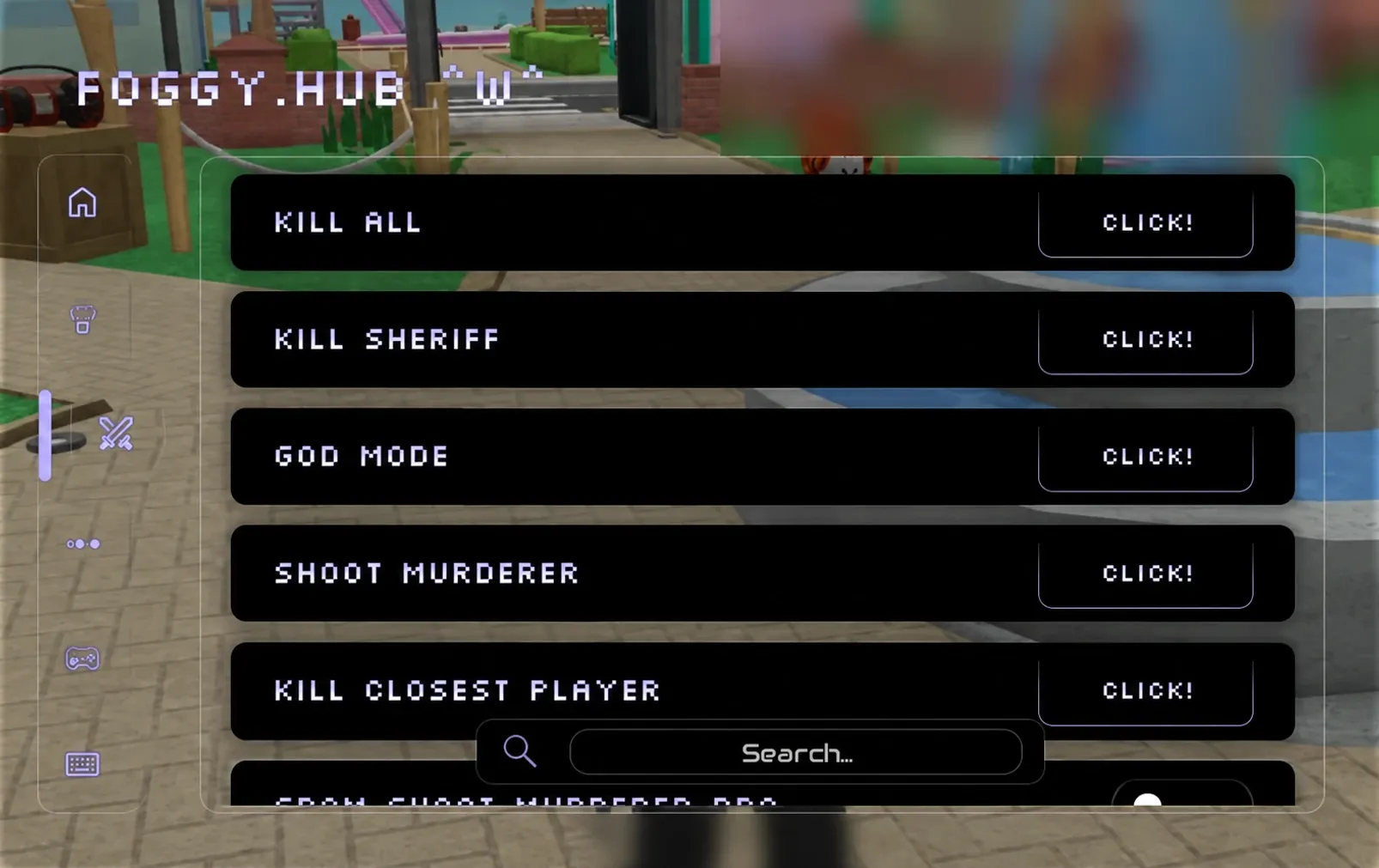
YARHM is a lightweight Murder Mystery 2 cheat that reveals who the murderer and sheriff are, while also letting you teleport around the map. It keeps things simple and requires no key.
A claim about automating repeated actions such as coin collection.
Role ESP
A claim about showing roles that MM2 normally keeps hidden.
No Key
A claim about access without a particular key. It says nothing about safety.
What Is Murder Mystery 2 in Roblox?
Murder Mystery 2 is a round-based Roblox experience by Nikilis. Each round gives players a different reason to watch what happens around them. The Innocent are trying to survive and work out who's playing which role. The Sheriff helps the Innocent, and the Murderer has a separate objective. That setup is why two people can remember the same round very differently. You can check the developer, the official role descriptions and the collection concept on the Roblox game page.
The Three Roles in MM2
Innocent
Innocent is the role built around incomplete information. Someone passing you in the lobby has given away very little about what they'll do in the next round. Pay attention to what the current game screen says at the start, and keep that separate from players' guesses in chat. A new round changes the context: the person you followed through the last one might have a completely different role now.
Sheriff
The official description puts the Sheriff on the side of the Innocent. Hidden information matters here as much as it does for everyone else, and the label on a third-party overlay is a poor substitute for what the participants actually observe. You can learn the phase changes and the role names entirely in the normal client.
Murderer
The Murderer is the role the other players are trying to identify. Its presence is what makes the same rooms feel different from round to round. Outside a round, item collections and trading give players other reasons to return. In the gameplay guide, the round timeline and the collection are treated separately so the two menus make sense.
How Do MM2 Scripts Work?
A script is program text, often using Luau on Roblox. It can describe when a message changes, what happens after an event, or how a game tracks something as simple as whether a round is waiting to begin. When someone says “MM2 script” on a listing, they often mean a third-party claim about the published experience.
Client, Server and the Script Menu
The device draws the scene and shows the controls. The server maintains shared game state. For example, in a game you make, changing the words inside one player's status label is a display change for that player. Updating the round state for everyone is a separate decision. A picture of a menu can establish that someone drew a menu, while the official inventory or next round can tell a different story. Roblox explains this distinction in its client-server documentation.
MM2 Auto Farm Scripts: Coins and Round Progress
Auto Farm usually describes a claim about taking the repetition out of an activity. In Murder Mystery 2 the word often turns up alongside coins, or alongside a promise to continue as rounds change. Auto Collect is typically the narrower label: the description focuses on collecting an object. Check which action the description actually names before comparing two listings. A title rolled up into a general “farm” category can conceal differences in scope, and a broad category on a catalog is no measure of results.
Coin Collection and MM2 Rounds
The normal game's round changes matter because a coin on a map, a display during the round, and a balance you can see afterward are different points in the experience. If you want to understand what you earned, check the current client and read the labels next to the numbers you see. Leave capacity, prices and event currencies to the interface for the version you are playing. Guides and screenshots age quickly whenever an event changes the rules on screen.
MM2 ESP Scripts: Roles and Item Markers
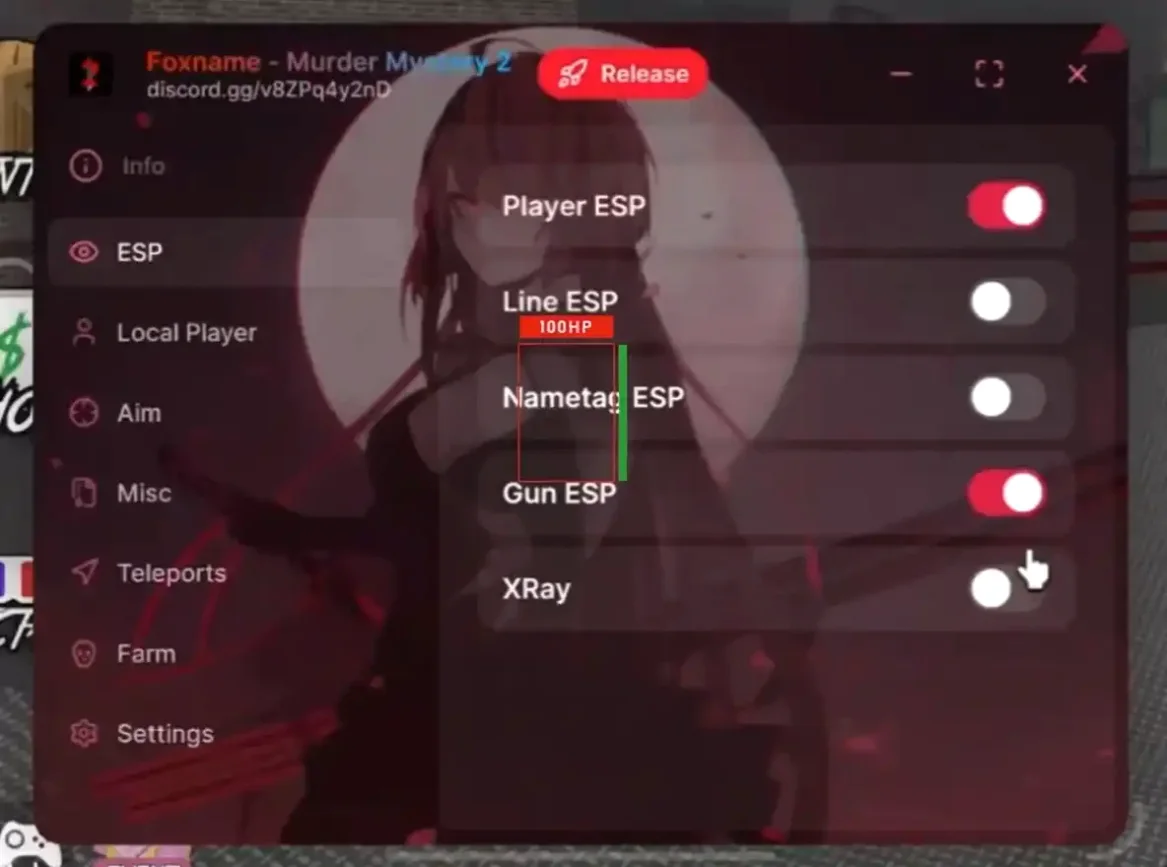
ESP is a loose name for extra on-screen information advertised by third-party menus. The detail following “ESP” tells you what someone claims will be marked. Player ESP might refer to player markers. Role ESP claims to reveal an assigned role. Gun ESP refers to a virtual object. Seeing the terms next to one another tells you how the author has grouped features.
Role ESP and Gun ESP in Murder Mystery 2
The difference matters because MM2's roles are deliberately hidden during play. An overlay claiming to expose an assignment changes what it means to infer a role from the round. A marked object is a different claim and does not show that the object is in anyone's inventory. The feature guide breaks down the terms and the evidence a screenshot can actually provide.
MM2 Cheats and Hacks: What the Feature Names Mean
Headlines about “MM2 cheats” or “MM2 hacks” sometimes describe a menu with movement and aim labels, and sometimes a multi-game hub whose heading covers several Roblox experiences. Read the description scoped to Murder Mystery 2. Other games have their own inventory rules and interfaces, and copying their terminology into MM2 can make a listing hard to understand.
Movement and Aim-Related Labels in MM2
WalkSpeed and Fly are labels for claimed movement changes. Silent Aim and Aim Assist refer to claimed changes to virtual aiming. Normal camera or control settings have a separate purpose and are available through the official client. Use the table as a glossary when a short description leaves you wondering what the label refers to.
Term
What the listing describes
Reading it in MM2
Auto Farm
Repeated actions
Often refers to coins or changing rounds. The label cannot verify a reward.
Auto Collect
Automatic collection
Mentions a specific object. A persistent inventory entry is a separate question.
Role ESP
Role markers
Claims to display assignments the game keeps hidden.
Player ESP
Player markers
The scope may be positions or names. Role information requires its own explicit claim.
Gun ESP
A virtual item marker
A marker does not make the item part of an inventory.
Silent Aim / Aim Assist
Virtual aiming changes
Third-party terms. The official control settings are separate.
WalkSpeed / Fly
Movement changes
A local display cannot establish a shared server result.
Teleport
Movement to a location
The label makes no guarantee about a map, object or game result.
No Key / Keyless
Access conditions
Usually applies to a particular product. Missing access information is unknown.
Loader / Hub
Remote content or grouped modules
The contents can change. A multi-game heading cannot establish MM2 scope.
What Does No Key Mean in MM2 Scripts?
No Key and Keyless usually mean that a particular author claims their script has no access key of its own. Read the full sentence: it may apply to one edition, one hub, or only the screen in the picture. A listing that gives no information about access leaves the question open. The absence of a line in a card is not a statement that the content is free or verified.
Script Keys vs Executor Keys
A hub and a third-party program can each have a separate access gate. Neither product needs a Roblox password, session cookie, or two-step verification code from a visitor to explain its terms. If a page sends you into a series of unfamiliar sign-in prompts, close it. For any real Roblox account action, open the official Roblox site yourself.
Delta, Xeno, Solara and Arceus X Neo
Delta, Xeno, Solara and Arceus X Neo are names encountered in third-party executor descriptions. The same product name can appear in a video, a script listing and a repackaged file. Those are independent sources whose information can have different dates and different scopes. The executor guide describes each name or claim and tells you what evidence is missing.
What Executor Compatibility Claims Tell You
Check what the statement describes before you read “compatible” as a promise. The version might refer to a script, a client or a tool. The device might refer to the game itself. A publisher's compatibility statement would need a specific build, device, client and exact description before another person could even evaluate it. This site reports claims in context and leaves unknown values labeled as such.
MM2 on Android, iPhone and PC
Android and iPhone players use the official Roblox app. Phone size and orientation influence how much room you have for movement controls, camera input and the information around the edge of the view. A problem limited to one orientation calls for a different report than a game that never loads. If the official client is failing on multiple games, start with service status and your normal connection.
Illustration of desktop and mobile controls.
MM2 Mobile Controls and PC Settings
On a computer, compare the official client's camera, controls and graphics options. A phone or desktop opening the game tells you about that particular app and device. Descriptions of other programs need their own evidence. If you report a problem, note the device, the phase of the round and the exact message.
Reading a Script Description
Take a round notice as a reading example. A description might say it shows when a round is waiting to begin. Look for the event that triggers the notice and identify who would see it. A message may be local to one screen. An assertion about everyone's round state needs evidence of a different kind.
Visible Behavior and Missing Evidence
The script guide explains what can be learned from a description without opening or running a file. Compare the source, the wording, and whether the expected result is something you can actually see in the official game. If the description leaves a question unanswered, keep it open.
Is It Safe to Use an MM2 Script? Risks You Should Know
There is no universal way to guarantee the safety of a third-party MM2 script. Roblox forbids cheating and exploiting, and some downloads advertised for that purpose are malware or phishing. A familiar hub name, a working-looking menu and a “No Key” label can all be copied. Roblox rules on cheating and exploiting
MM2 Account and Download Risks
If a file triggers protection, leave it unopened and keep the protection enabled. When an unfamiliar sign-in appears, make a new visit to Roblox through its normal address and check your account there. If a stranger offers a trade, compare the actual objects in the in-game trade window and walk away from any demand for a password. The account safety guide explains what to do if you notice an unfamiliar session.
Common Issues When Using an MM2 Script and How to Fix Them
Identify where the symptom appeared: on this site, in the official Roblox client or on an unfamiliar page. A missing record and a Roblox service outage can both make someone say “MM2 isn't working”. Record the exact screen and moment.
Missing Menus, Key Prompts and Crashes
Start with the action you can verify. Check the listing title in the catalog or check the game’s service status. If you encountered an unexpected credential prompt, close that page. The troubleshooting guide has a longer checklist.
Symptom
Likely cause
First check
Search returns nothing
A different spelling
Try the exact title or browse the homepage catalog.
Feature missing from a card
Description does not cover it
Send the listing name and the exact wording about MM2.
Two listings have similar titles
Different authors or aliases
Compare the exact author, title and game mentioned.
A listing changed after a refresh
Its published description was updated
Check the source date and report the exact phrase if something is missing.
Official game will not load
Service, client or network
Check Roblox Status and see whether other experiences load.
Third-party menu is absent
Compatibility unknown or blocked
Close it and return to the official client.
Key prompt asks for sign-in
Separate access gate or phishing
Close the page. Keep Roblox credentials private.
Game stutters
Graphics or system load
Try official graphics options and close unused apps.
Put together a useful Roblox support report with the time, device, steps, and exact symptom you observed in Murder Mystery 2.
Frequently Asked Questions
What is an MM2 script?
An MM2 script is program code someone associates with Murder Mystery 2. A script may describe what happens after an event or which message appears on a screen. A third-party listing reports what its author claims about the published game.
What does Auto Farm mean in MM2?
Auto Farm is a label for claimed automation of repeated actions, often coin collection or movement between rounds. Read the particular listing to see what it actually mentions. The term alone cannot establish what the official game credits to your account.
Is Role ESP the same as Gun ESP?
Role ESP refers to a claimed display of a player's assigned role. Gun ESP refers to a claimed marker for a virtual item. Both terms describe what someone says is visible on a screen. An item's presence in the inventory is a separate question.
Does No Key mean a script is safe?
No Key describes an access condition for a particular product. The identity of the file, what the code actually performs, and Roblox's rules are separate questions. An unfamiliar form asking for account information is a reason to close the page.
Does Roblox mobile support mean an executor is compatible?
The official mobile Roblox app and a third-party executor are different products. A compatibility statement needs a specific version and device. Even that information concerns the claimed behavior only, not permissions or the security of a download.
How can I tell what a script claims to do?
Read the description for the action, object, source and expected result. A visible change can belong to just one screen, so look for evidence that matches the claim. The guide to reading scripts explains these differences in plain language.